
Buyer guide
Always do your own research before making any purchase.
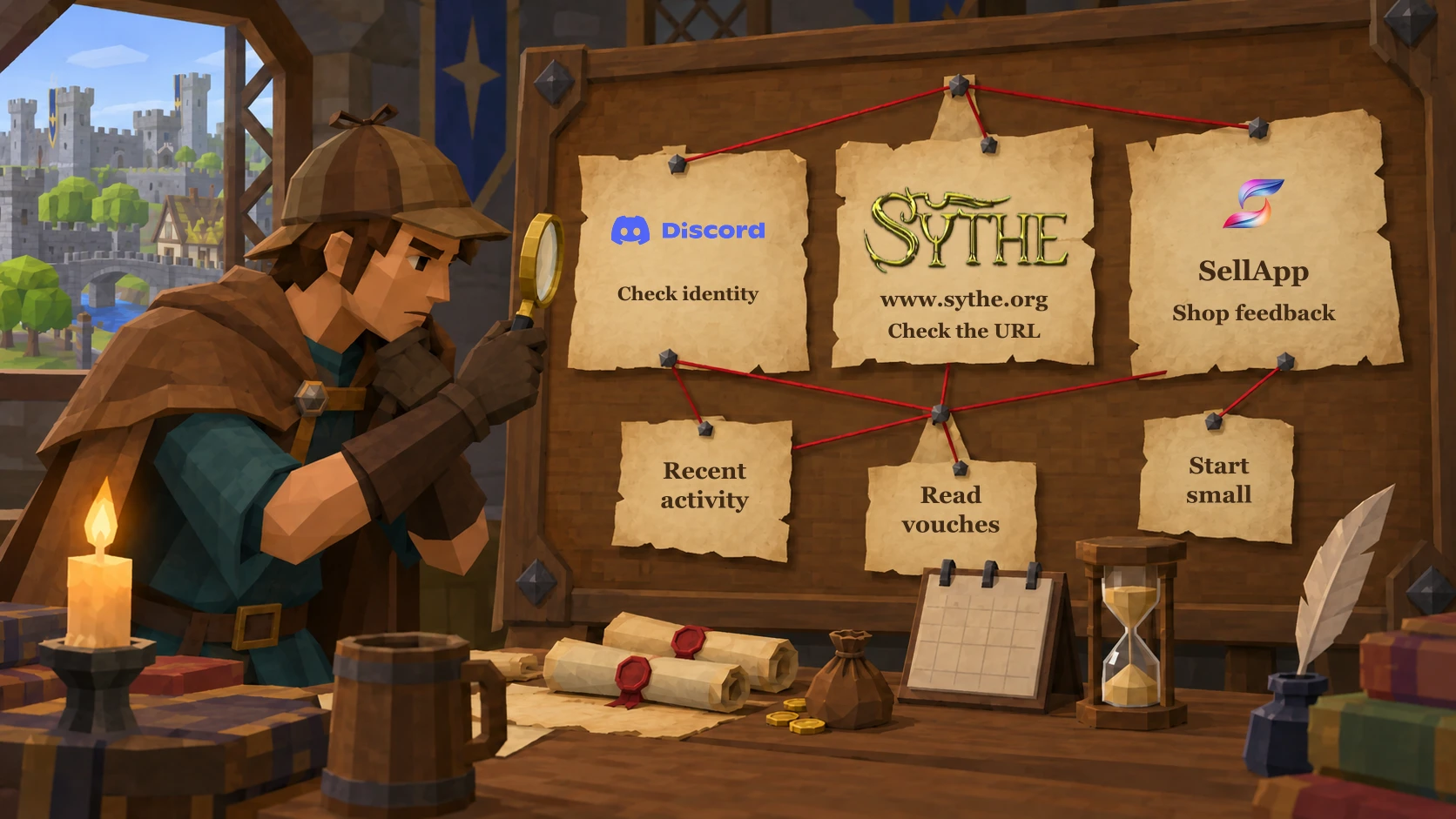
RS Account Hub lists shops from many different sellers, including shops that may be untrusted. Being listed here does not prove a seller is trustworthy. You buy directly from the seller’s website.
We remove known scam shops when we identify them. Other listed shops may still be unsafe.
Before you buy
Check Discord links and identities
Check that the shop’s Discord invite works and opens the expected server. Compare the seller’s identity and contact details across their shop and established profiles. Anyone can copy a name or avatar.
Check Sythe links
Open the seller’s Sythe profile and vouch thread. Make sure the links lead to the intended pages on sythe.org and that the shop and contact details match. Watch for lookalike websites and links to someone else’s reputation.
The correct Sythe URL is https://www.sythe.org/
Scammers have impersonated Sythe using fake URLs.
Show a fake URL example
sythe.app — This is not the official Sythe website. Do not enter your login details on lookalike domains.
Look for recent Sythe activity
Check whether the seller’s Sythe account is active and still being used. Read recent posts and trading activity rather than relying only on the age of the account or an old reputation.
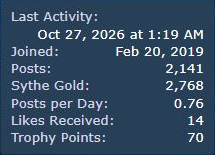
Read the vouch thread
Vouch threads collect public feedback from buyers. Open the seller’s thread rather than relying on a claimed vouch total.
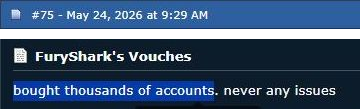
Not all vouches carry the same weight. Having vouches does not mean a seller can be trusted 100%.
Scam quitting happens in these markets. A seller can build a good reputation, then stop delivering or disappear with buyers’ money. Old vouches do not prove they are still selling honestly.
Look for recent vouches and check who left them. A vouch from an established trader may be more likely to be genuine and come from someone who knows what to look for in a purchase. Brand-new accounts with no other activity could be used for fake vouches, but that is only a possibility. Account history cannot guarantee that a vouch is genuine. Read the latest posts for delivery complaints and unresolved scam reports too.
Check webshop feedback too
A shop’s feedback page can show several types of feedback together. Look at the individual entries behind its headline score.
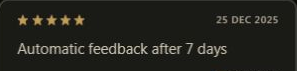
A five-star entry is not always a buyer-written review.
The entry shown here says “Automatic feedback after 7 days”. That is different from a customer describing their purchase. Check whether a shop’s headline total includes automatic entries as well as written reviews.
Read several recent reviews. Look for what the buyer ordered, how delivery went and any problems afterwards. Repeated generic praise tells you less. Check what a “verified” label actually verifies.
Webshop feedback can easily be faked or manipulated. Compare it with independent vouch threads and look for unresolved complaints.
FuryShark’s shop feedback. FuryShark also owns RS Account Hub.
Start small if you decide to proceed
Consider a small initial purchase to check whether the seller delivers what was agreed before committing more money. Do not spend more than you can afford to lose or let a seller rush you into a larger order.
These checks cannot guarantee a safe purchase. A seller can deliver a small order and scam you on a larger one. A game account can also be recovered after delivery.
Report a scam or suspicious shop
If you believe a listed seller is scamming buyers, report the shop so we can investigate.
Include the shop or listing URL, the seller’s public Discord or Sythe links, what happened and links to relevant evidence. You can report through our contact form without a Hub account. Do not include passwords, account credentials, payment details or other private information.